Amazon links in this article are affiliate links. As an Amazon associate, I earn from qualifying purchases.
If you're thinking about buying a new headset because you don't like how your current one sounds or because you want footsteps to stand out more in competitive shooters, try SteelSeries Sonar first.
Quick Summary
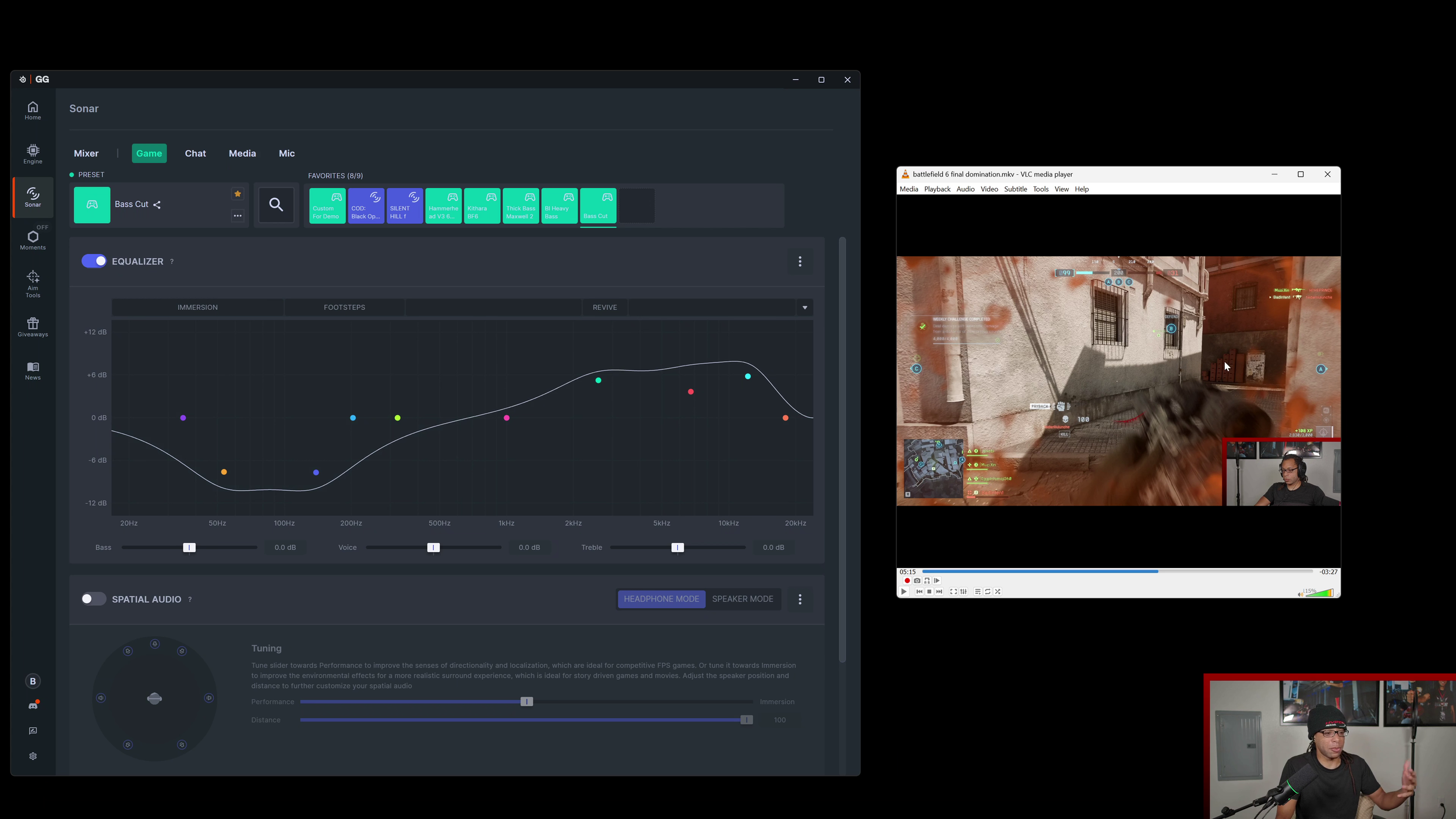
Demonstrating Sonar with different games.
SteelSeries Sonar is the best overall software I've used for audio equalization. It lets you make real-time adjustments to your game audio, mic, voice chat, and other media.
And it’s free!
The biggest reasons I use it are:
Full parametric equalizer for changing how headphones, earbuds, games, and microphones sound
Game/Chat volume mixing
ClearCast AI noise cancellation
You do have to sign in the first time you open the program, but after that it seems to work even without internet access.
Improvements Made to Sonar Since Launch
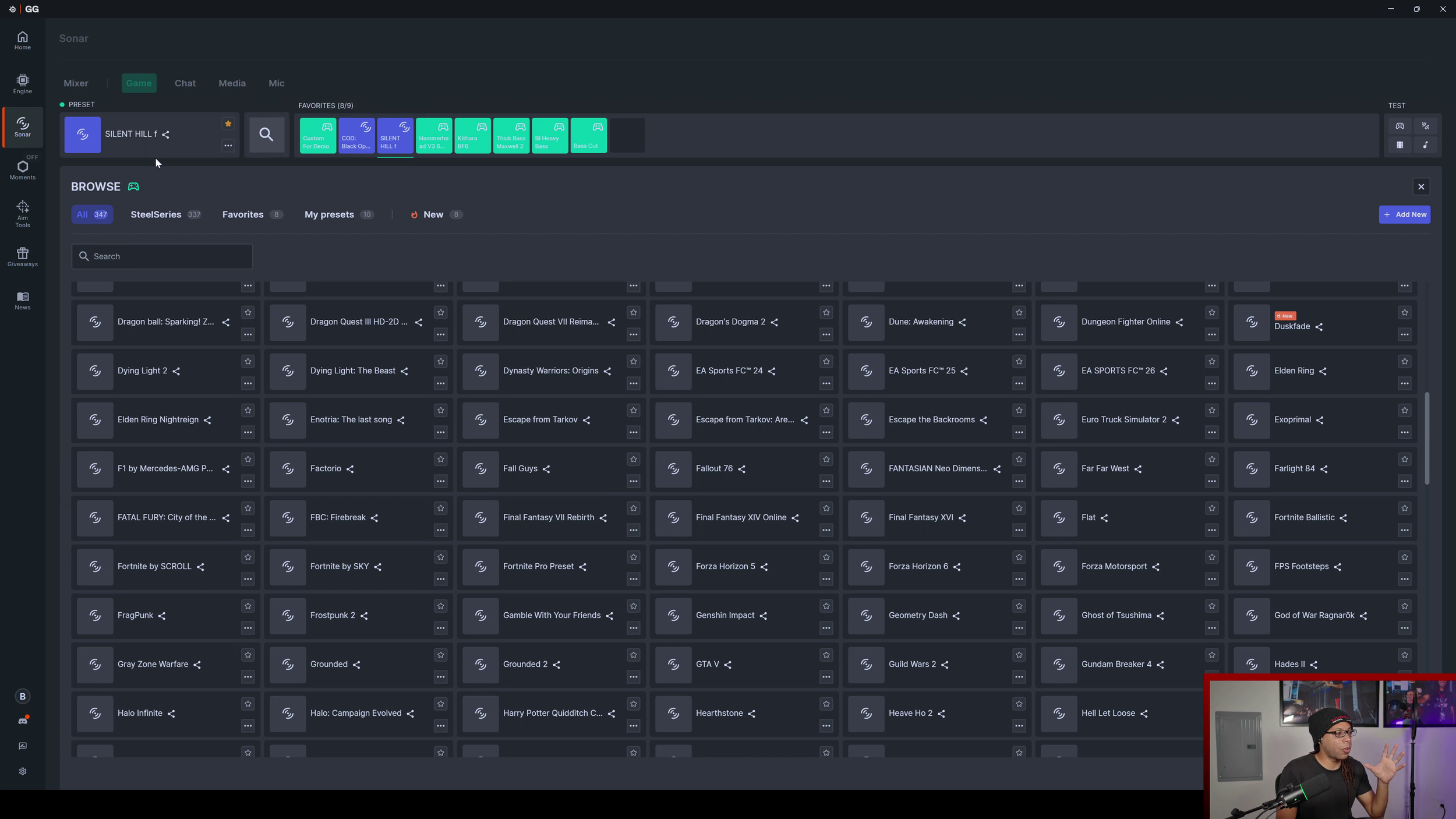
There are many more pre-made EQ presets for a ton of different games, and they keep adding new ones.
The background noise reduction filter has continued to improve drastically, and it’s currently the best one that I've used.
Sonar crashes way less than it used to, but there are still some bugs that I’ll talk about later.
While SteelSeries Sonar does work with any device, if you use it with SteelSeries-specific devices, you can control some stuff that you normally couldn't, such as the Game/Chat volume mixer with the SteelSeries Arctis Nova Elite.
Mixer Tab
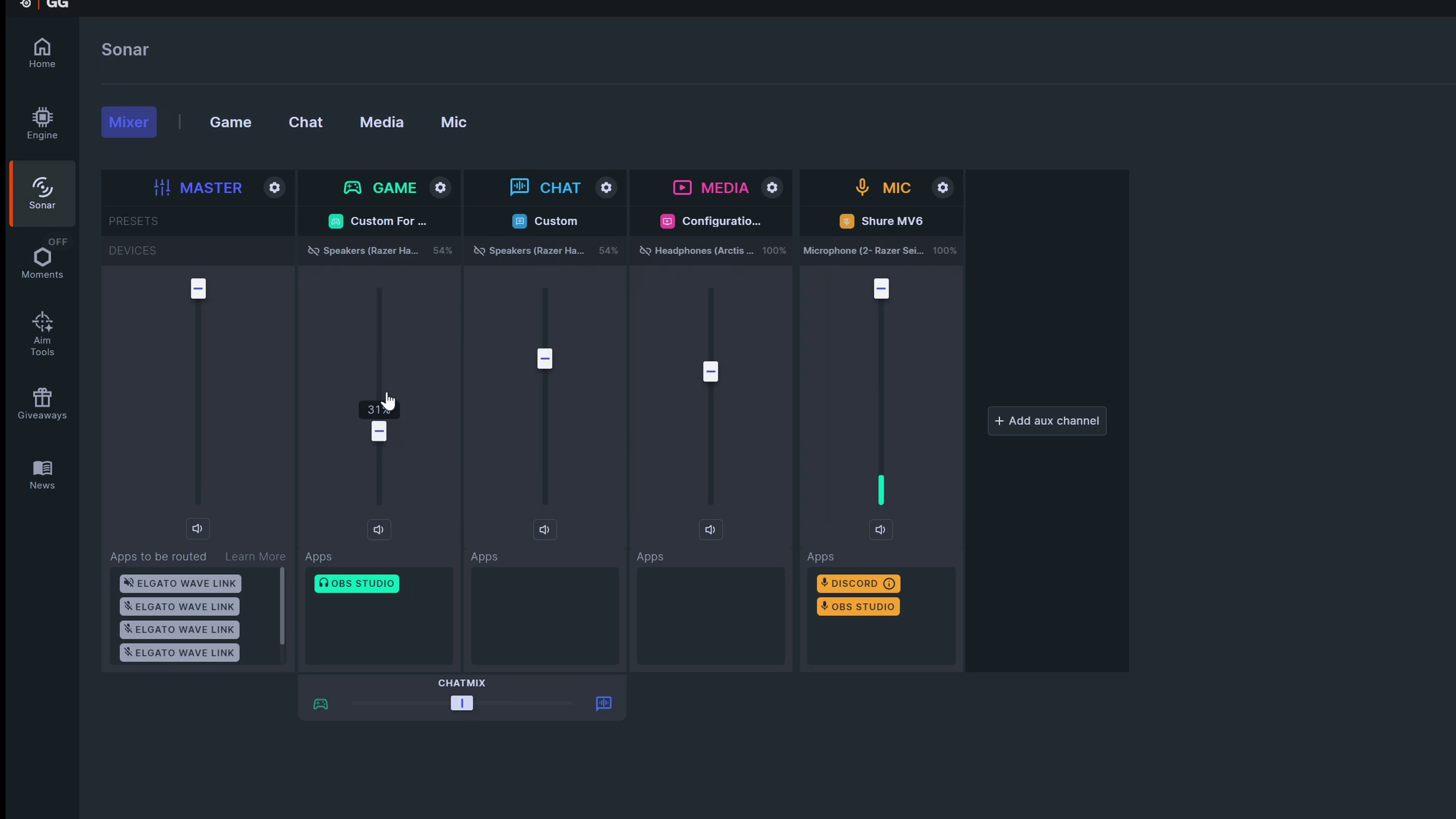
The mixer is used for controlling the volume for all sound sources.
You can select different channels like “SteelSeries Sonar Game” or “SteelSeries Sonar Chat” in whatever software you’re using to send them wherever you want.
I have Discord audio sent to “chat” and the mic I use is selected in the microphone column.
Game/Chat Volume Mixer
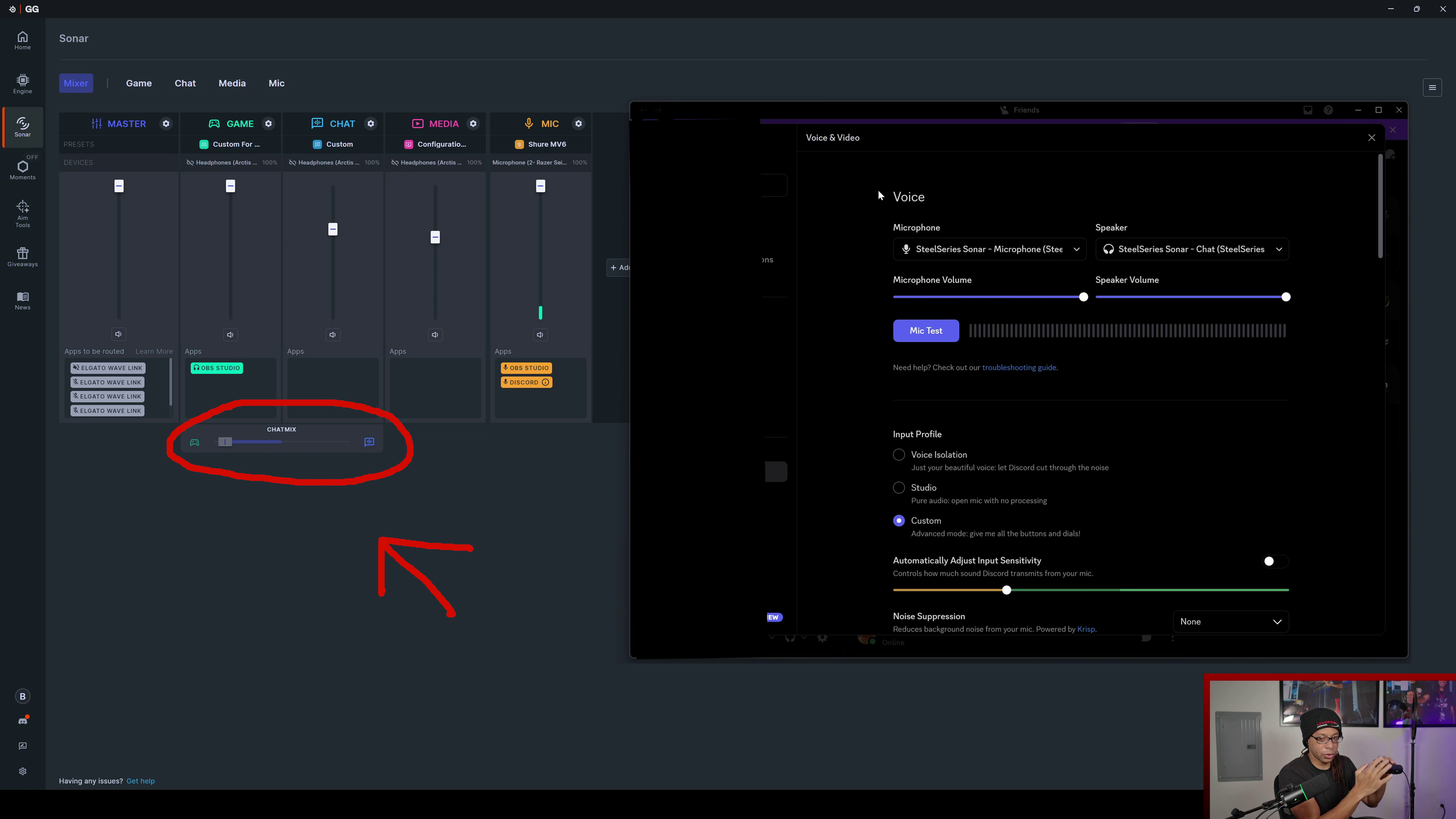
Using the “Chatmix” slider at the bottom, you can control how loud game audio is compared to discord chat (or whatever program you designated to chat audio).
If you're using a SteelSeries device specifically, you can use the wheel on the GameHub itself without using having to click into the software.
Microphone Tab
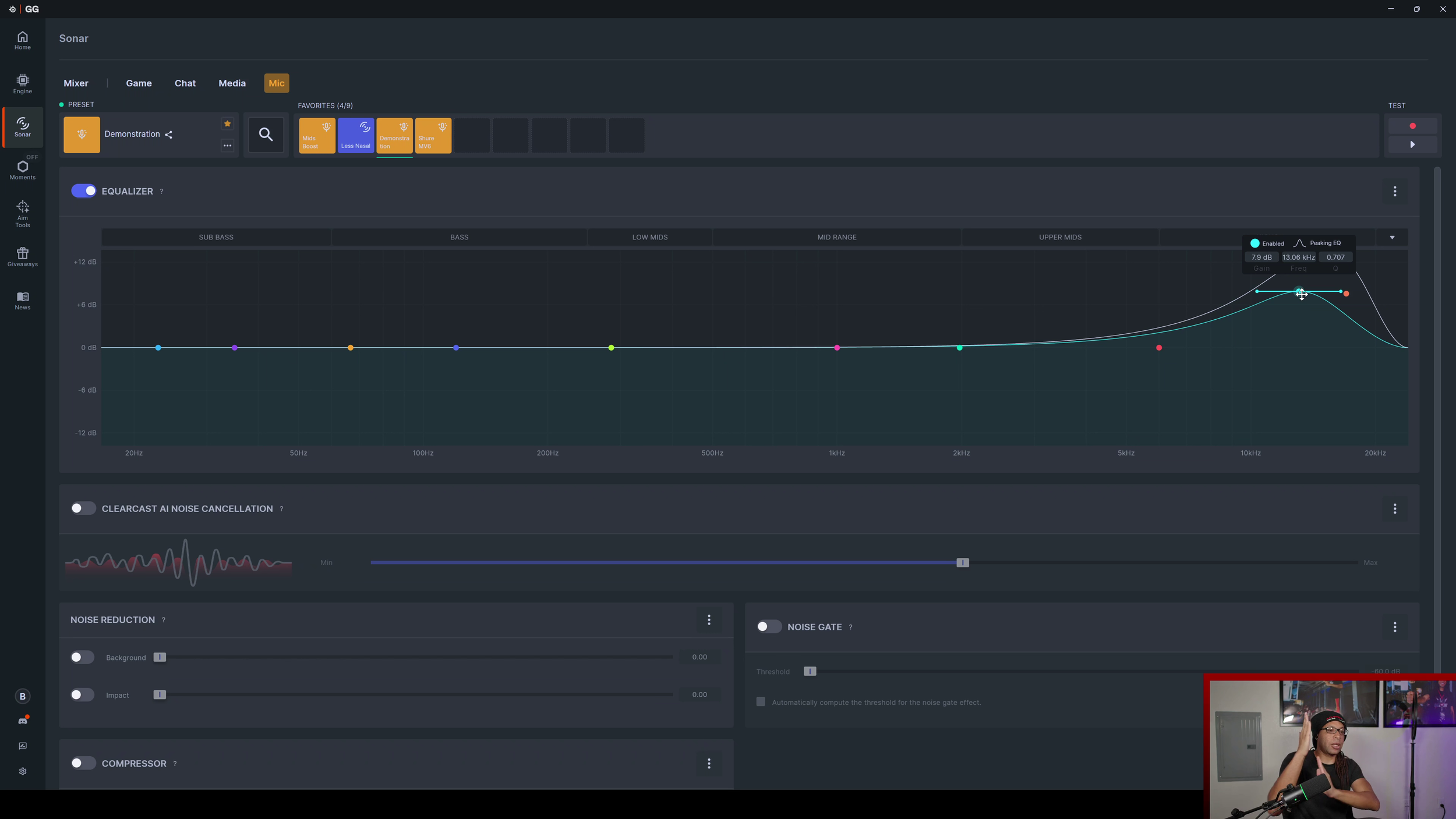
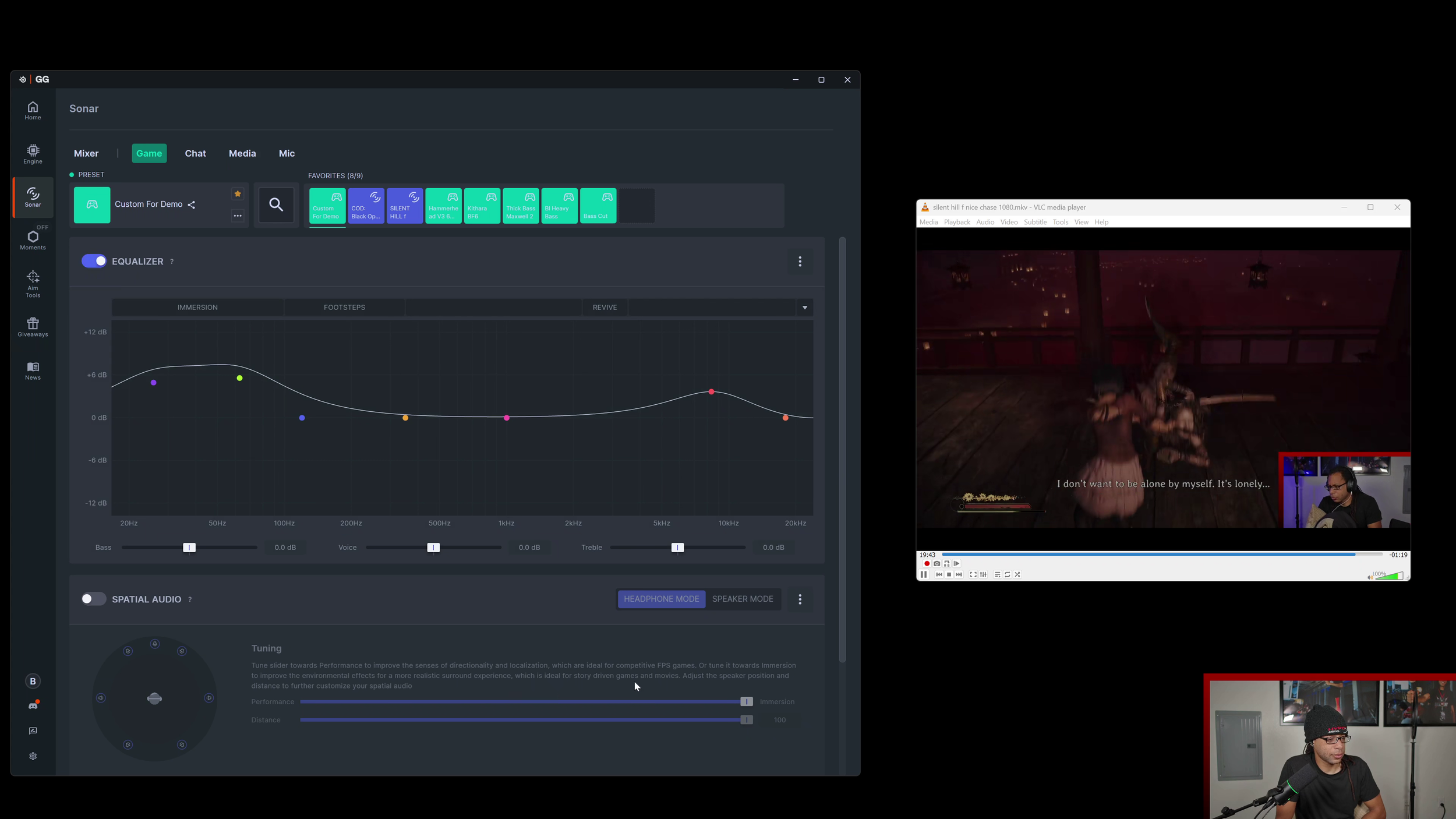
Sonar displays audio in frequencies from 20 Hz - 20 kHz which is the range of human hearing. There are 10 different dots you can make which represent bands of audio. Everything is labeled intuitively, so you can raise or low the bass, mids, or treble to get the perfect sound.
The mic, media, and game tabs all use the same parametric equalizer, so once you understand one, you can use the same process for the others.
ClearCast AI Noise Cancellation
Game and Media Tabs
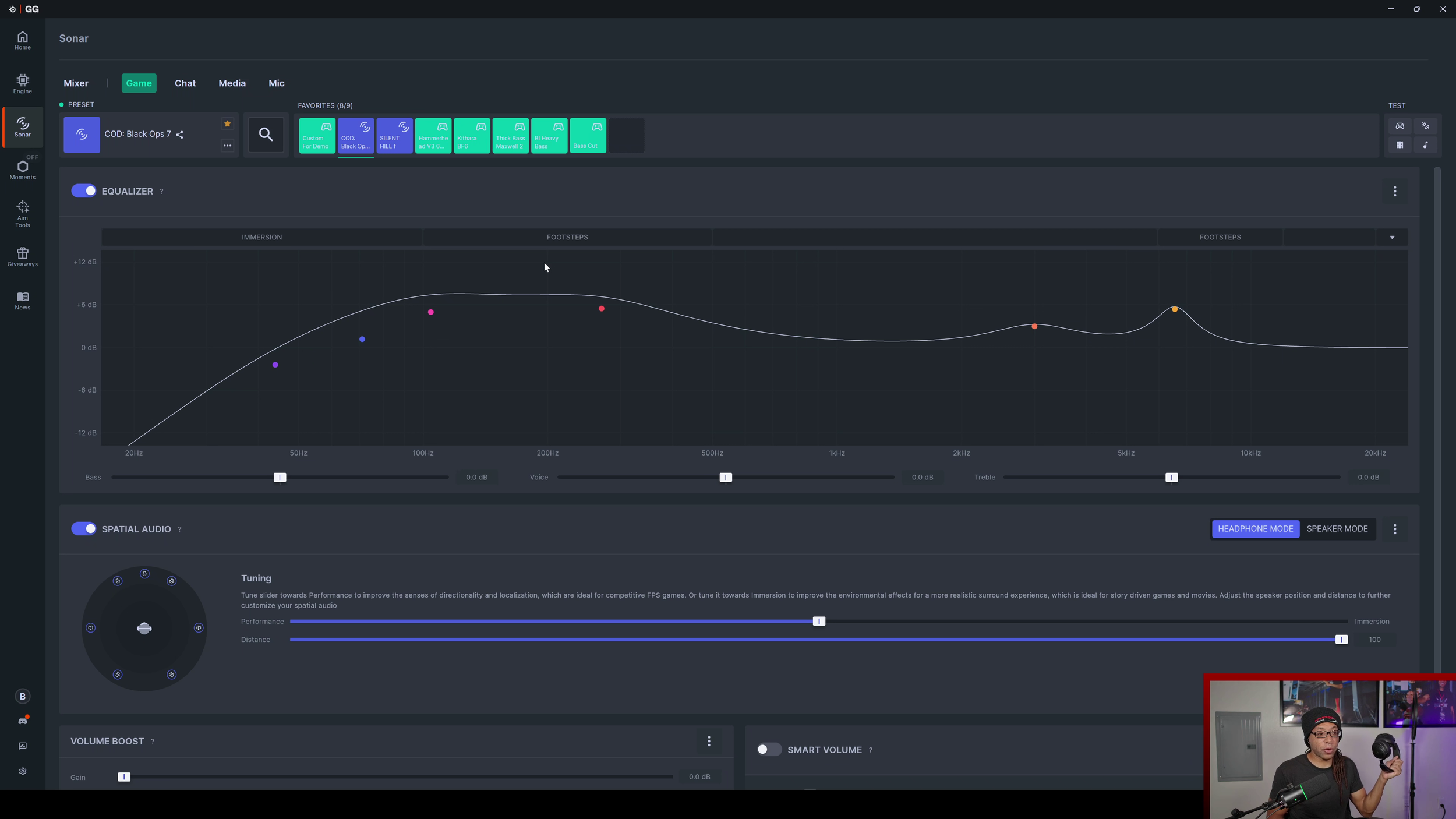
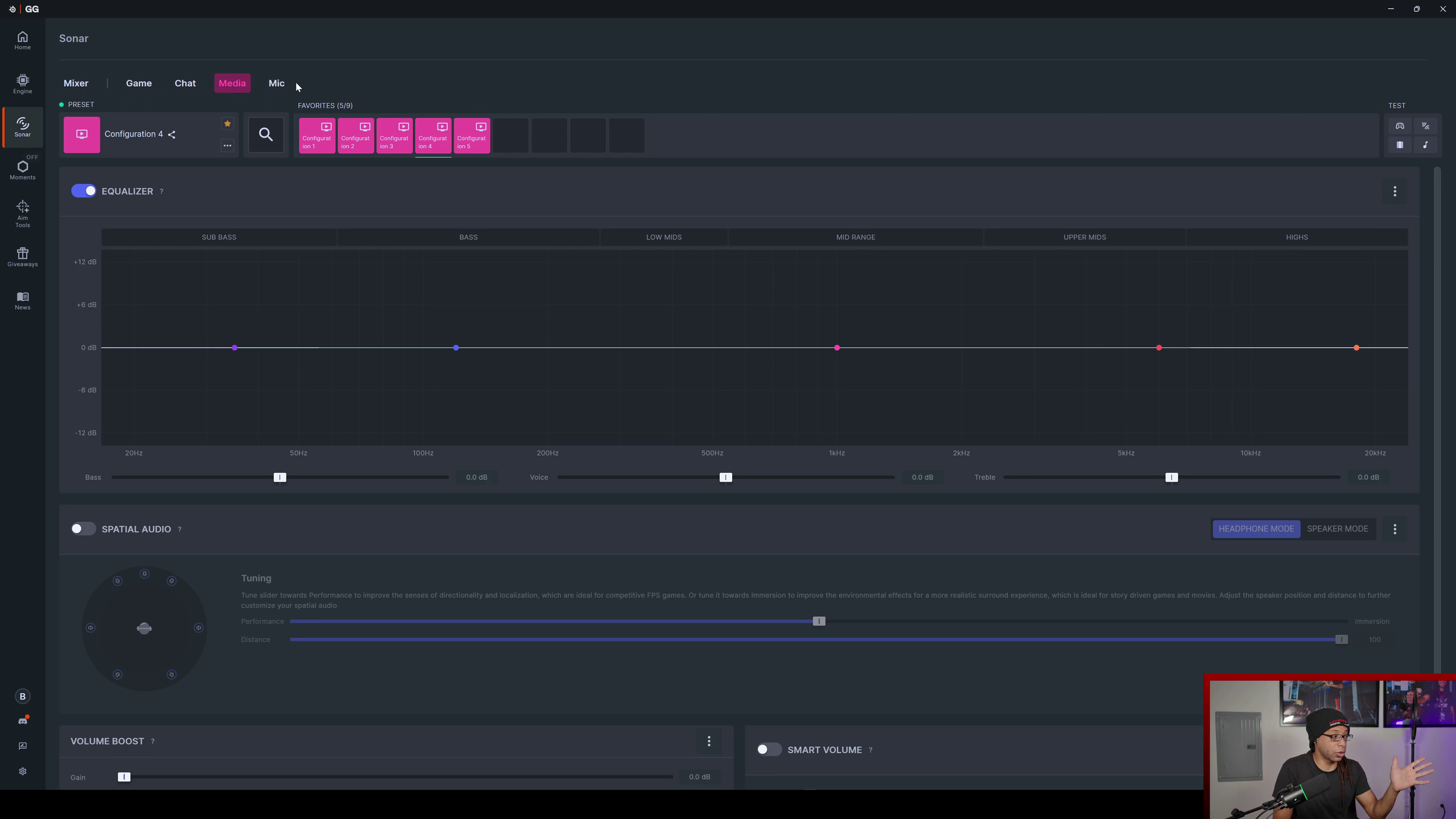
The game tab works similarly to the mic tab, but without the noise reduction filter. For FPS games, I often drop the bass a bit depending on which headset I’m using. This makes it so the rumbles and explosions don’t overpower footsteps.
However, I’ll often do the opposite for single player games and other media. Whatever type of sound you’re going for, you can get it here.
You can use the virtual surround sound which is much more subtle than other software, but it’s still fun to play with. Just don’t expect any tactical advantages from it.
Problems With SteelSeries Sonar
Aside from having to log in, there are 4 main issues that I still have with Sonar.
#1 Microphone Audio Sometimes Doesn’t Work
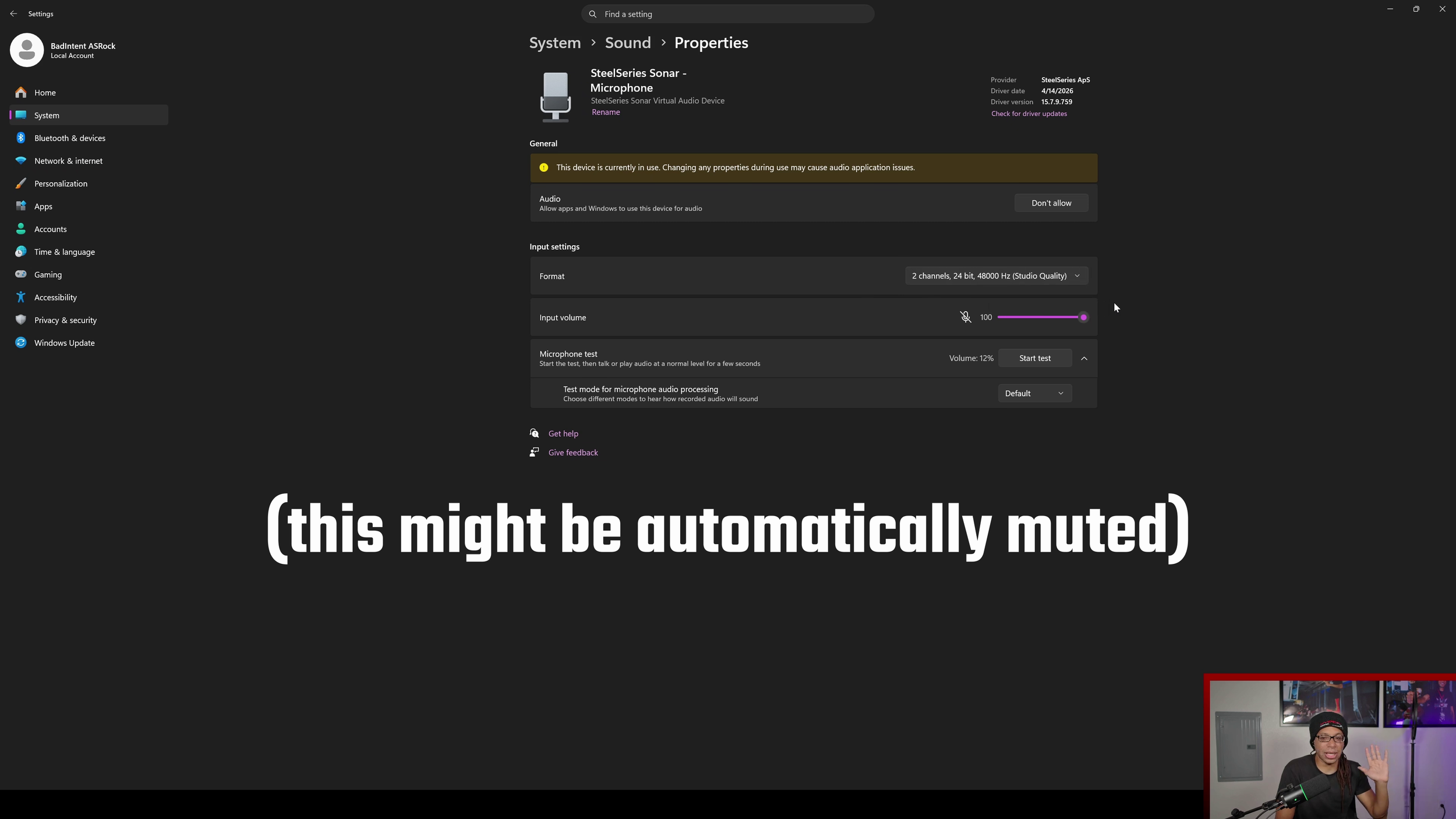
If your mic is completely muted while using Sonar, make sure to check if the icon for the mic is muted in Windows sound settings. This can happen on its own for some reason.
#2 Software Conflicts
Certain software doesn’t work properly with Sonar. Razer mics can be iffy with it. REW (Room EQ Wizard) measurements also break with it on.
#3 Lower Volume
This software lowers the output volume of whatever device you’re using, even if you have all the volumes maxed out.
#4 Default Audio Device Issues
Probably the most annoying issue with the software is it is extremely aggressive in forcing SteelSeries Sonar to be the default audio source for whatever you're using.
Whenever you plug something into or out of your computer, the default audio source always shifts to SteelSeries Sonar Gaming.
Same with the microphone. Whenever you plug in or unplug a microphone, your default mic for all your software will become SteelSeries Sonar Microphone.
Verdict
Other than the nitpicky issues, this software is extremely good and useful. It can save you a lot of money so that you're not buying a new expensive gaming headset just to perform better in FPS games.