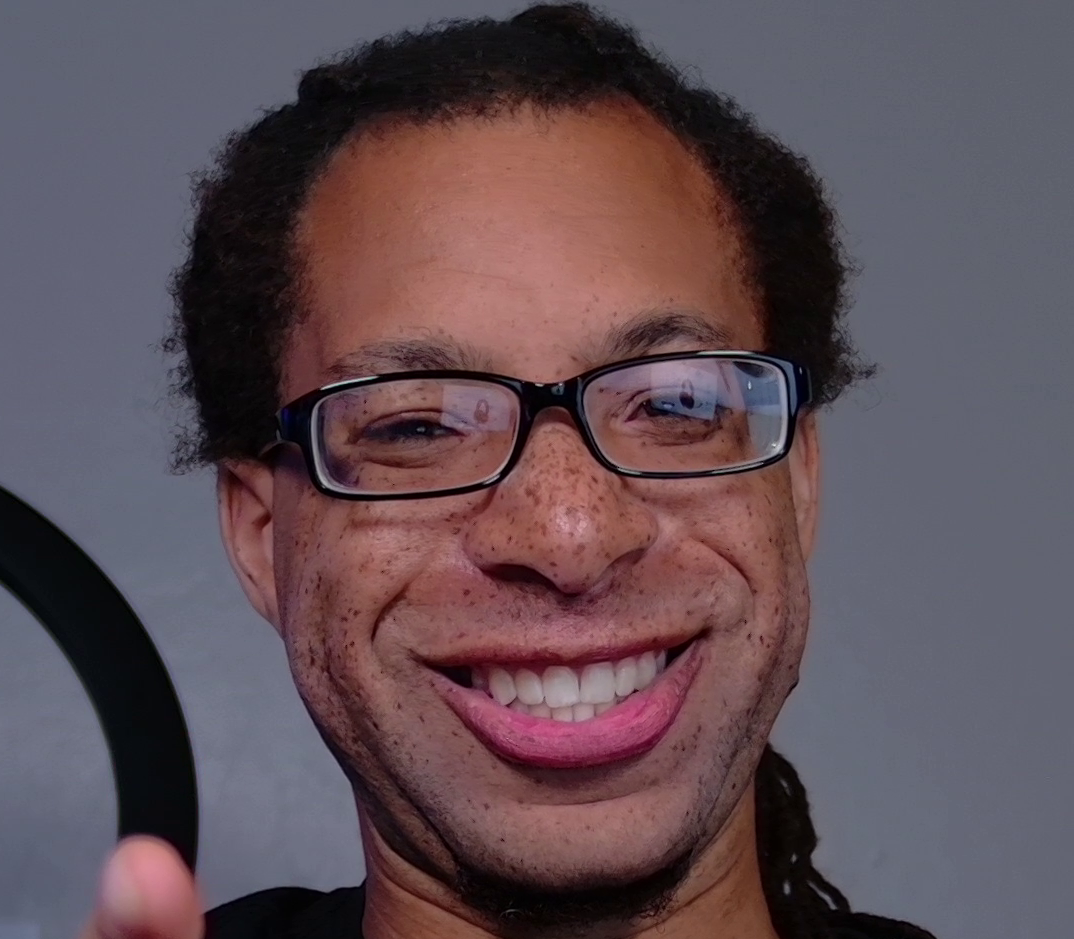
OBSBOT Tiny 3 vs Insta360 Link 2 Pro
Amazon links in this article are affiliate links. As an Amazon associate, I earn from qualifying purchases.
Differences Summary
The OBSBOT Tiny 3 and Insta360 Link 2 Pro are two of the best 4K webcams out, and frankly they are extremely similar. There are some nuanced differences in the specs section below. But in short:
The Tiny 3 looks better overall in terms of colors and noise reduction, but the Link 2 Pro is sharper.
The Link 2 Pro with HDR looks very close in overall quality to the Tiny 3, but it has an extra processed appearance.
The Tiny 3 can do 120 FPS at 1080p, while the Link 2 Pro can only do 60 FPS when set to 1080p.
PTZ Cameras
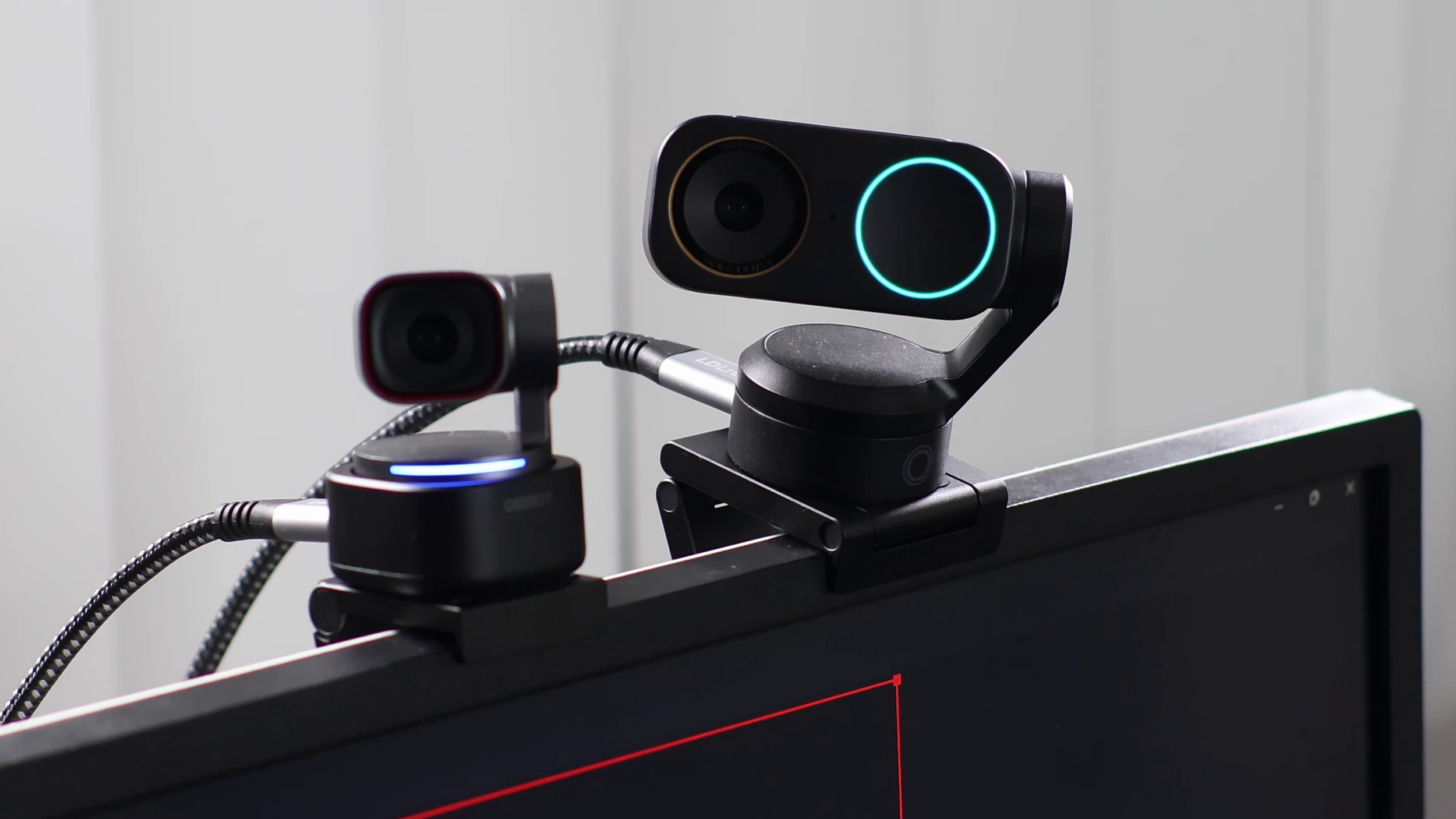
These are PTZ (pan tilt zoom) cameras with face tracking and gesture controls. The zoom is not optical - it’s digital. Neither of these have a privacy cover, but they do face down when they’re asleep.
If you want real privacy, consider the Insta360 Link 2C Pro which has a legitimate privacy shutter or the OBSBOT Meet 2 with a privacy cap. (The Meet 2 has different optics altogether).
Specifications
OBSBOT Tiny 3
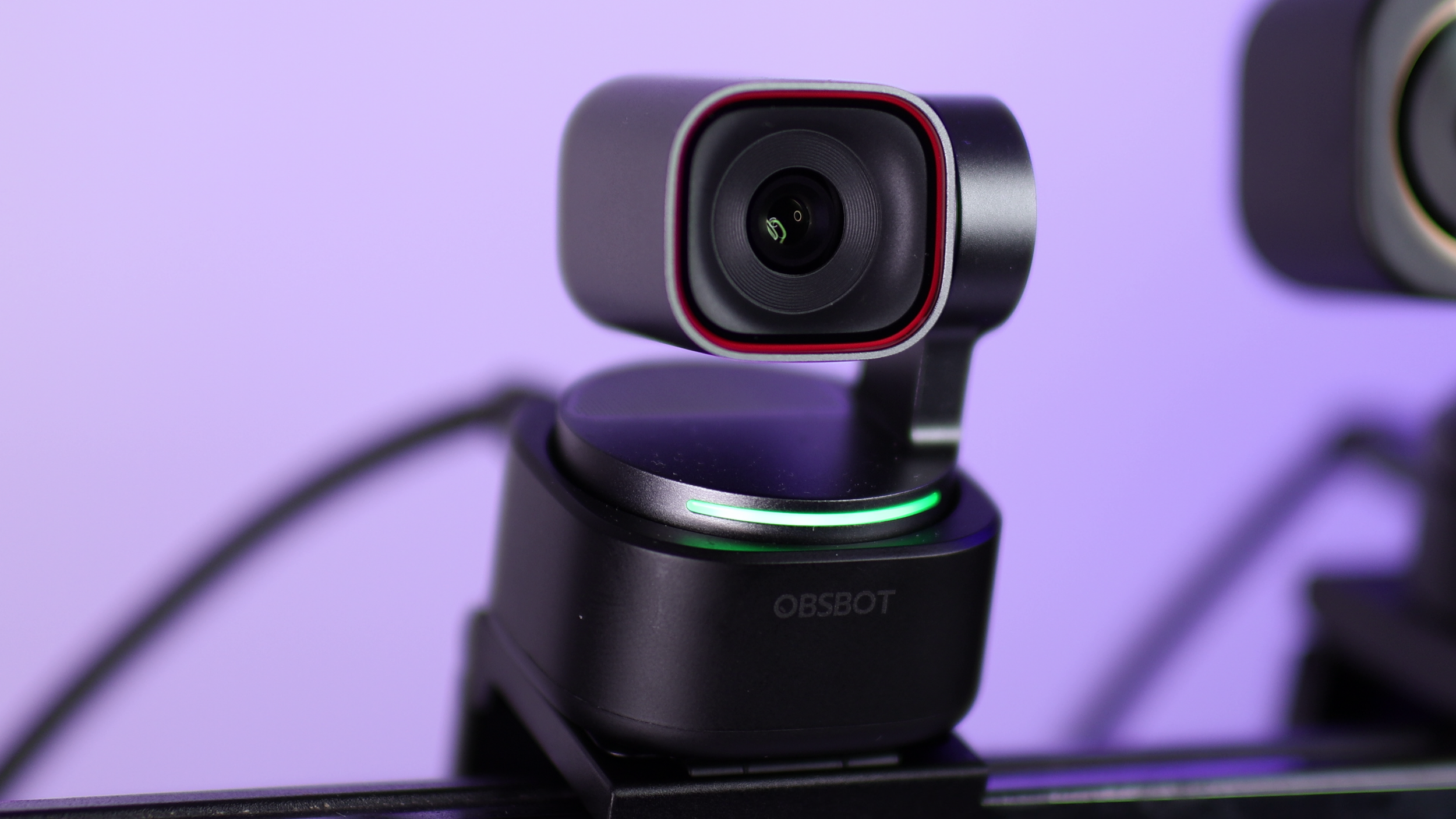
Max frame rate and resolution: 4K 30 FPS or 1080p 120 FPS
Sensor size: 1/1.28"
Aperture: f/1.8
35mm Equivalent Focal Length: 24 mm
FOV: 70 degrees (horizontal), 82.4 degrees (diagonal)
HDR: Supported
Video format: MJPEG, YUV (480p and lower only)
Insta360 Link 2 Pro
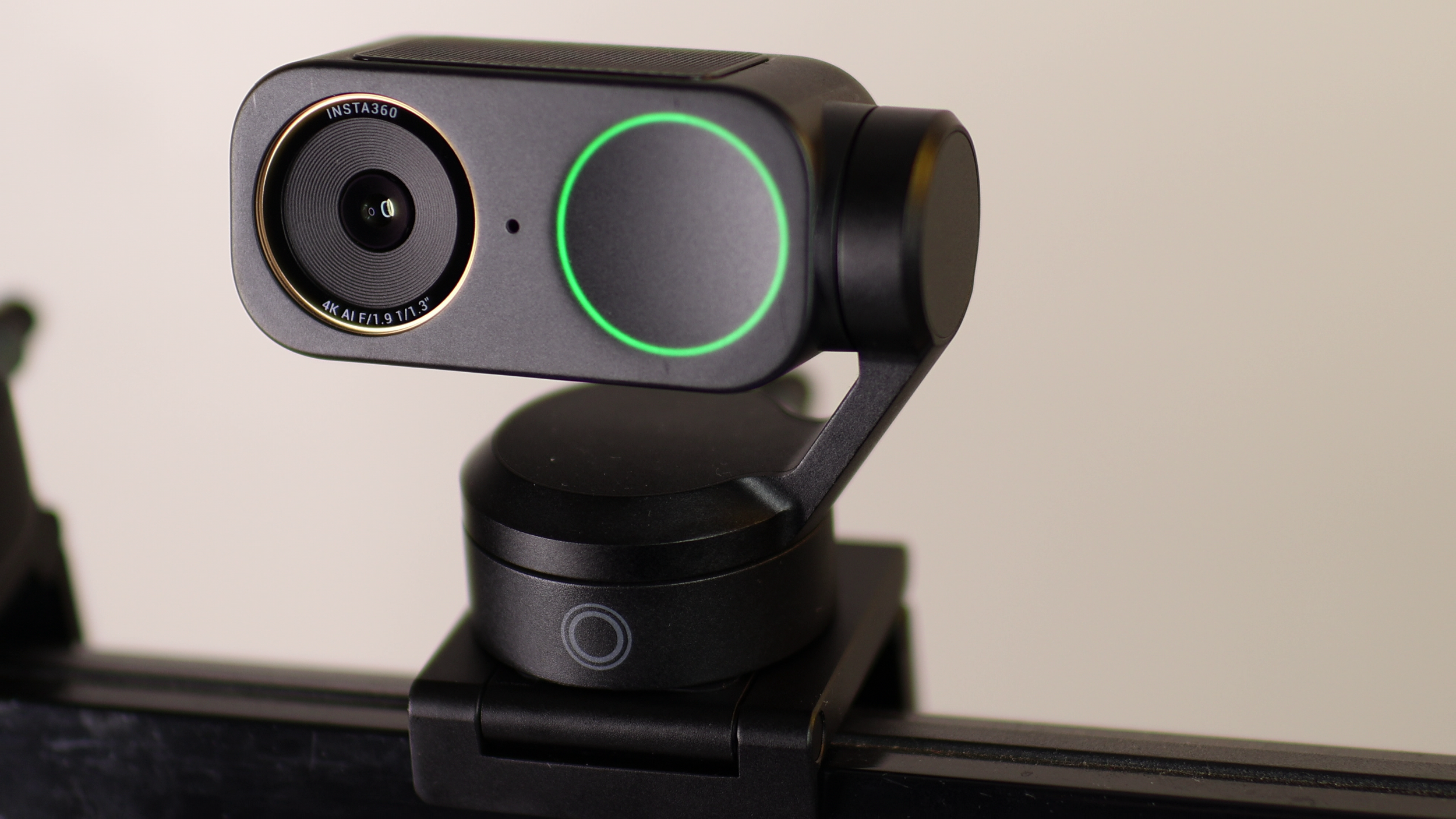
Max frame rate and resolution: 4K 30 FPS or 1080p 60 FPS
Sensor size: 1/1.3"
Aperture: f/1.9
35mm Equivalent Focal Length: 24 mm
FOV: 71.4 degrees (horizontal), 83.9 degrees (diagonal)
HDR: Supported
Video format: MJPEG, H.264
Image Quality
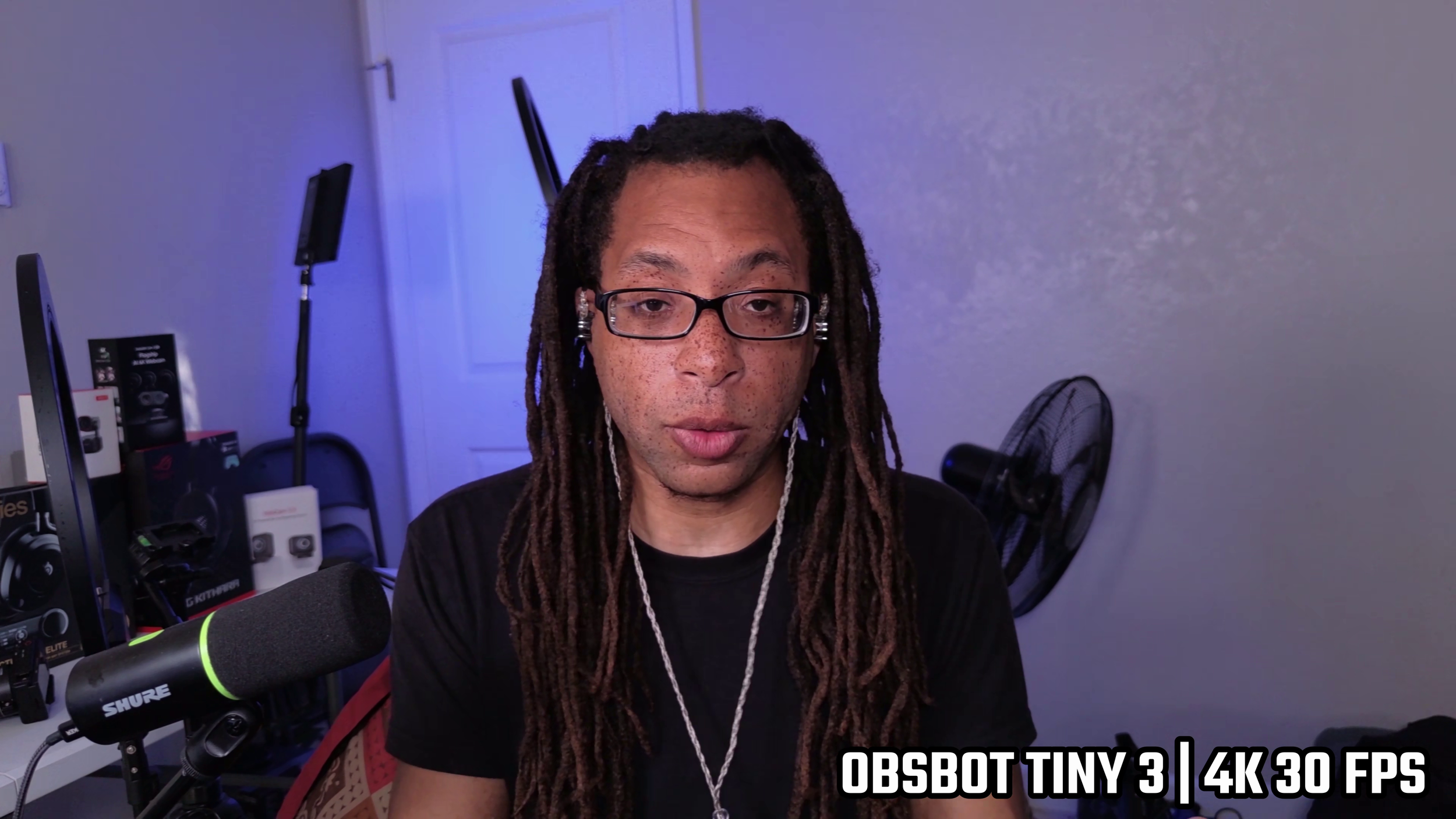
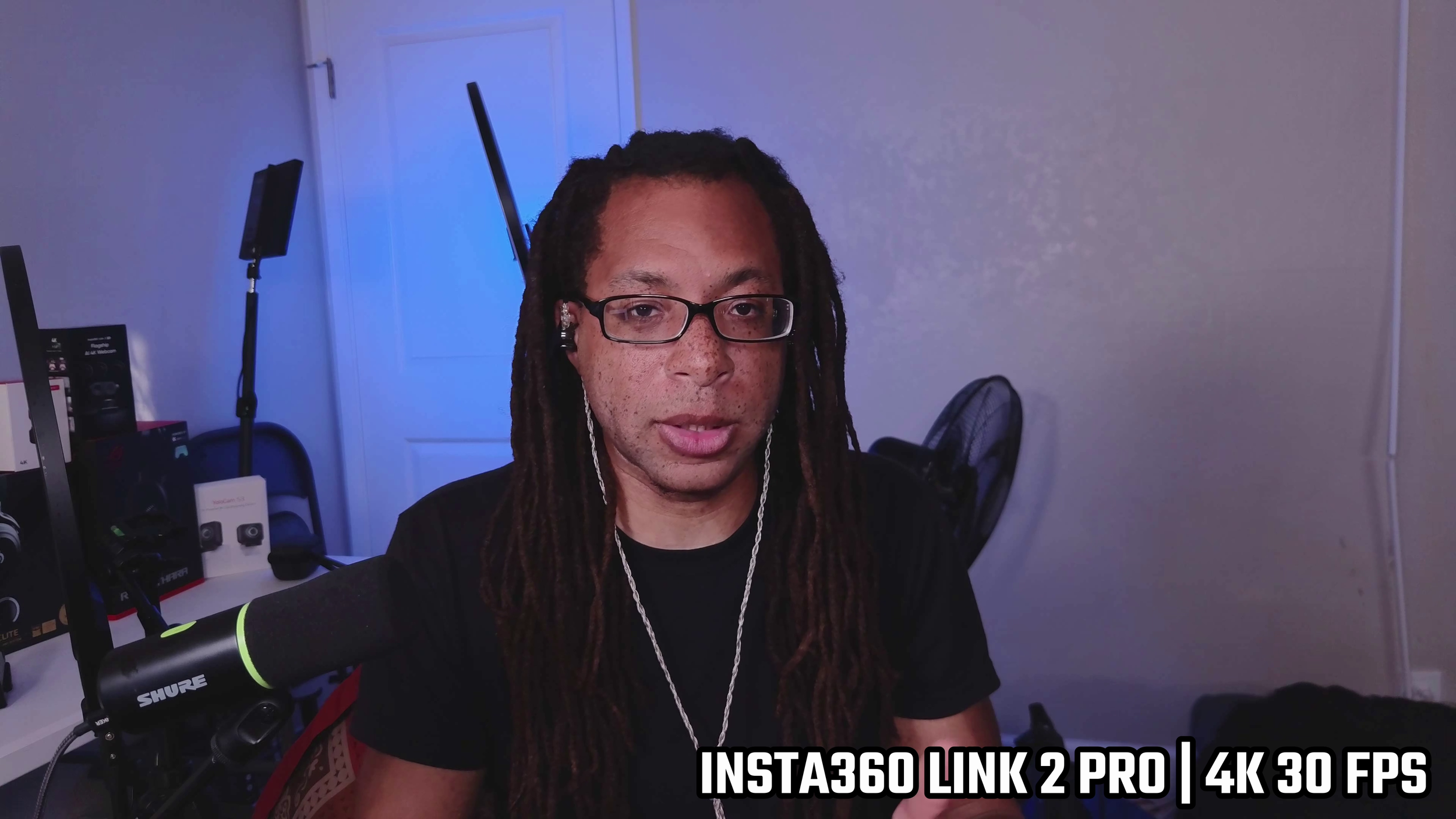
The Tiny 3 has a clean and clear image without too much noise. The sharpness is decent for 4K, but nothing amazing. The best part about it is the color accuracy. So far, this has gotten the indigo lighting behind me better than all my other webcams.
Something I really like about the Tiny 3 is how deep the blacks can get while not getting completely crushed. The autofocus is also lightning fast on both devices.
The Link 2 Pro is sharper overall by default, but it does look more like they cranked up the slider of the sharpness rather than it just having better fidelity. You’ll see that in contrasty areas like freckles, pores, and shadows where it creates unnaturally fine outlines. There’s also significantly more grain in the image of the Link 2 Pro.
With HDR off, the Link 2 Pro’s colors look washed out compared to the vibrancy of the Tiny 3. Hotspots also blow out easier on the Link 2 Pro due to its weaker dynamic range.
High Dynamic Range
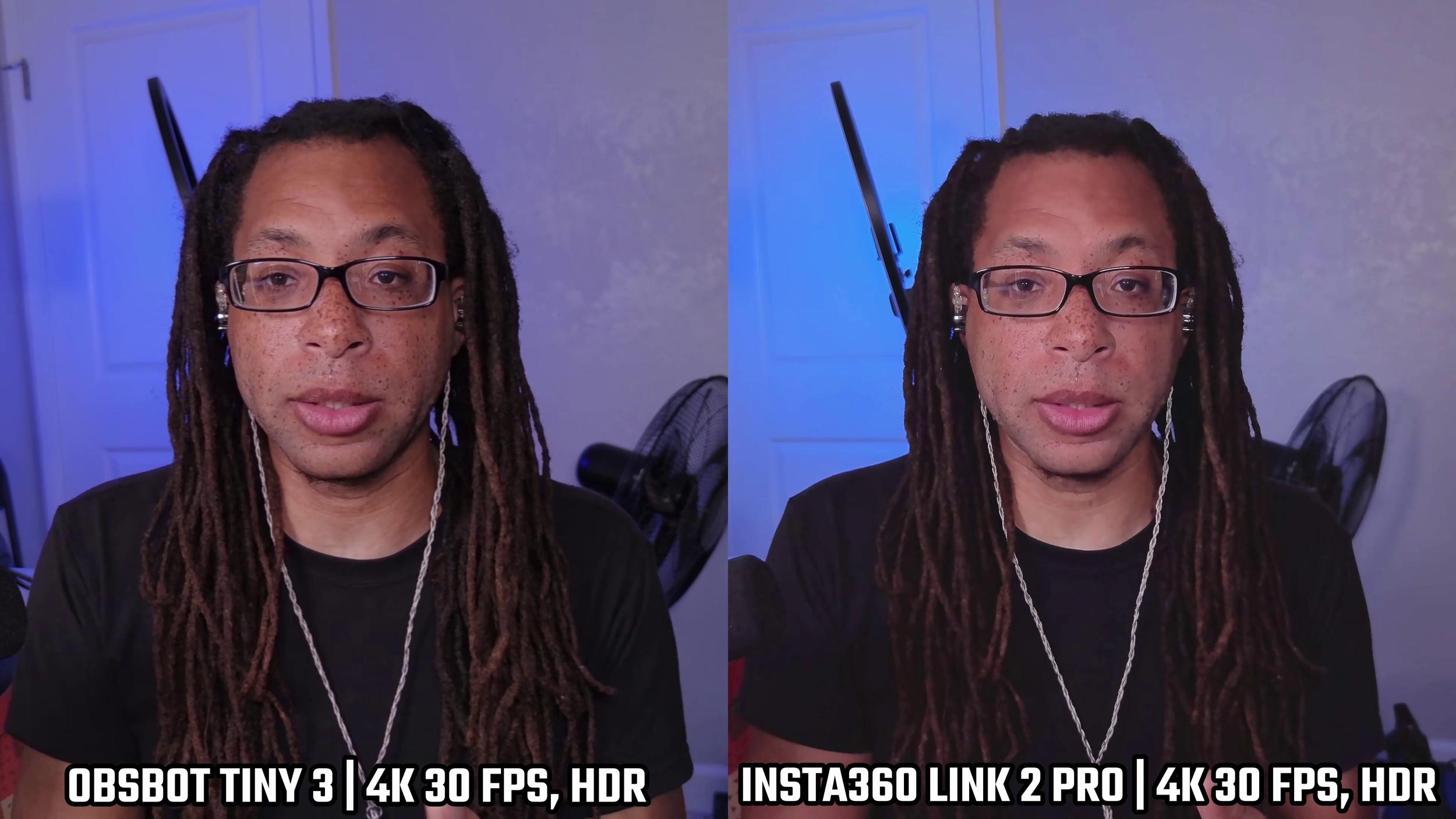
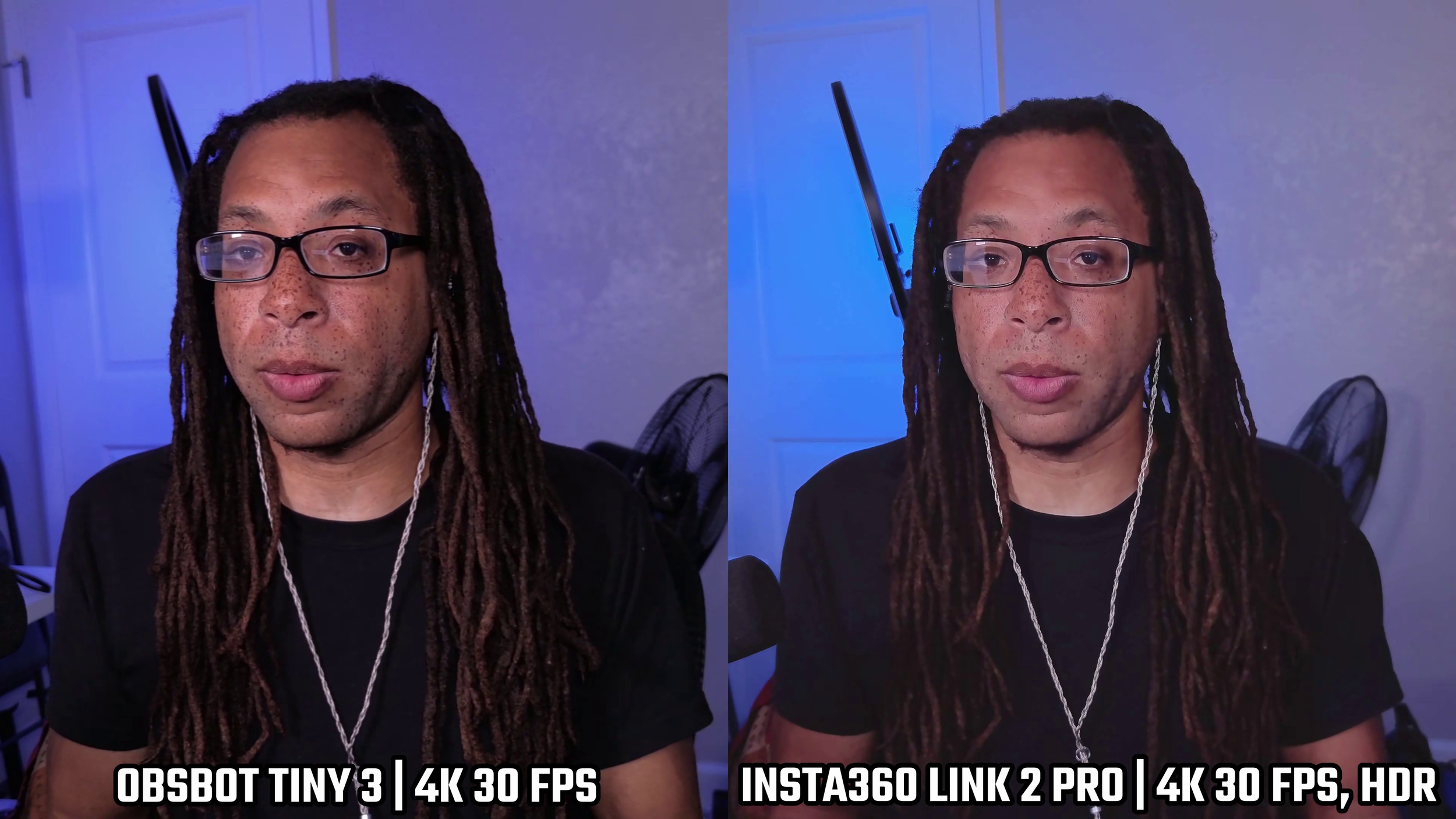
Both of these webcams have an HDR toggle in their software.
In my experience, the Tiny 3 looks worse with it on, and the Link 2 Pro looks way better with it on. On the Link 2 Pro, the saturation improves, it cleans up the hot spots, and it tones down the over-sharpening. Unfortunately, everything does look a bit air-brushed.
On the Tiny 3, having HDR on smears the image, makes it softer, and adds in the grey haze.
Compared to YoloCam S3 and Razer Kiyo Pro Ultra
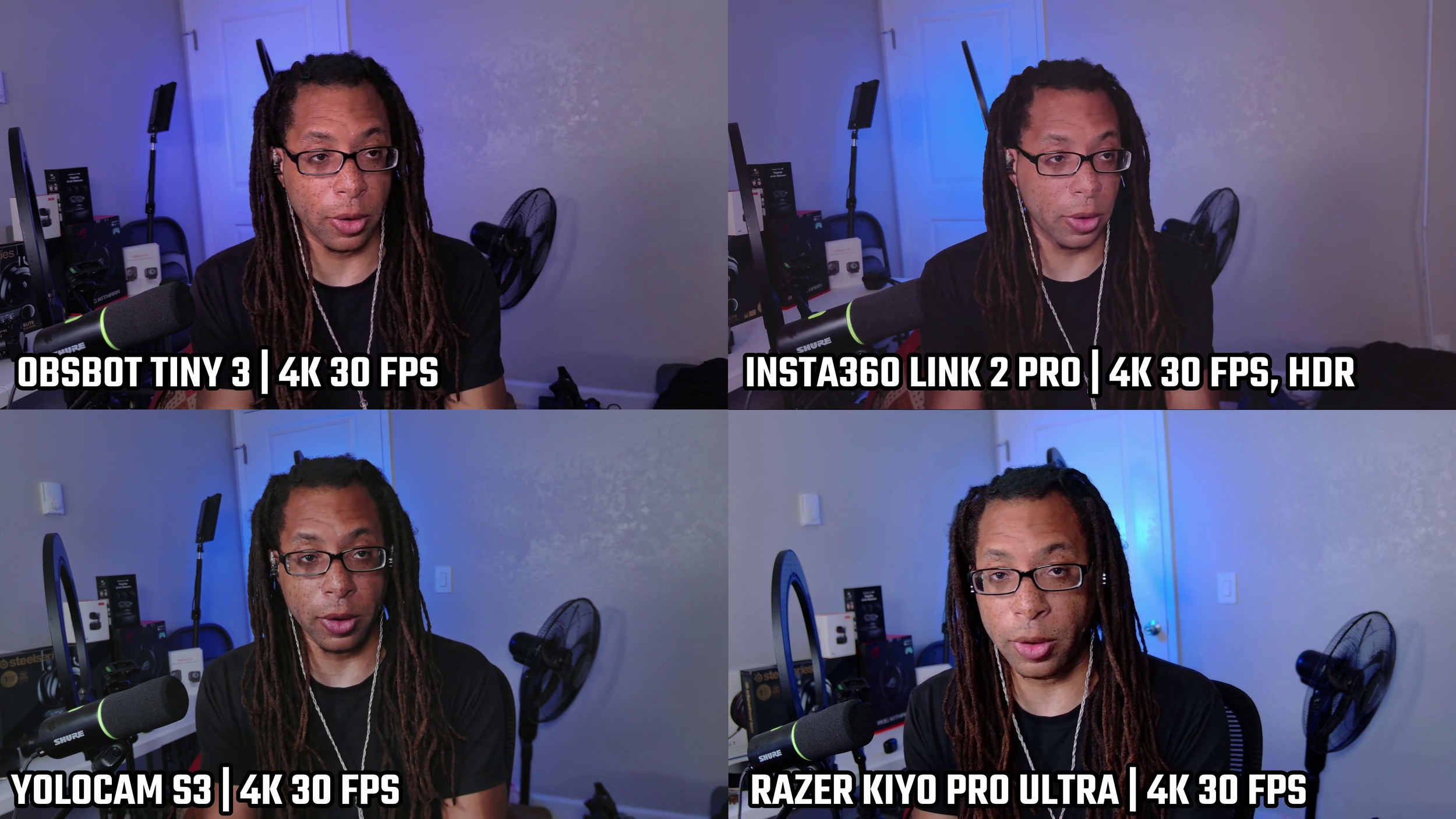
These are currently my top four, and I still do find the Razer Kiyo Pro Ultra to be the best overall webcam.
The Kiyo Pro Ultra has that perfect balance of sharpness without looking too artificial, great color accuracy, very good noise reduction filters, and excellent bokeh. Its issues are the autofocus is suspect, and it has barrel distortion. The latter is an easy fix if you are okay with OBS plugins.
On the YoloCam S3, the bokeh is almost as good as the Kiyo Pro Ultra, but the contrast is way too heavy for me and it makes highlights and shadows pop too hard on skin.
1080p 60 FPS
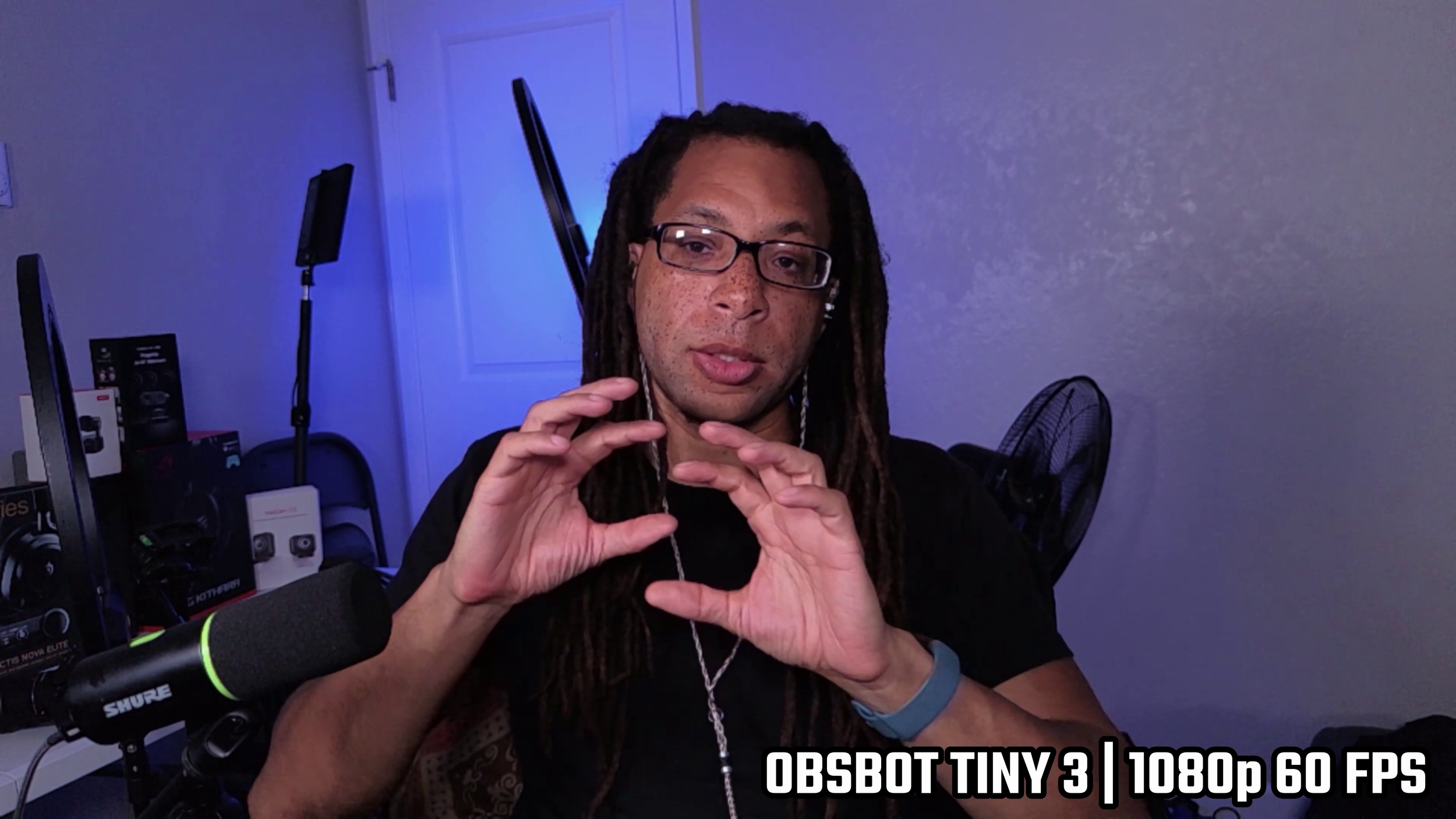
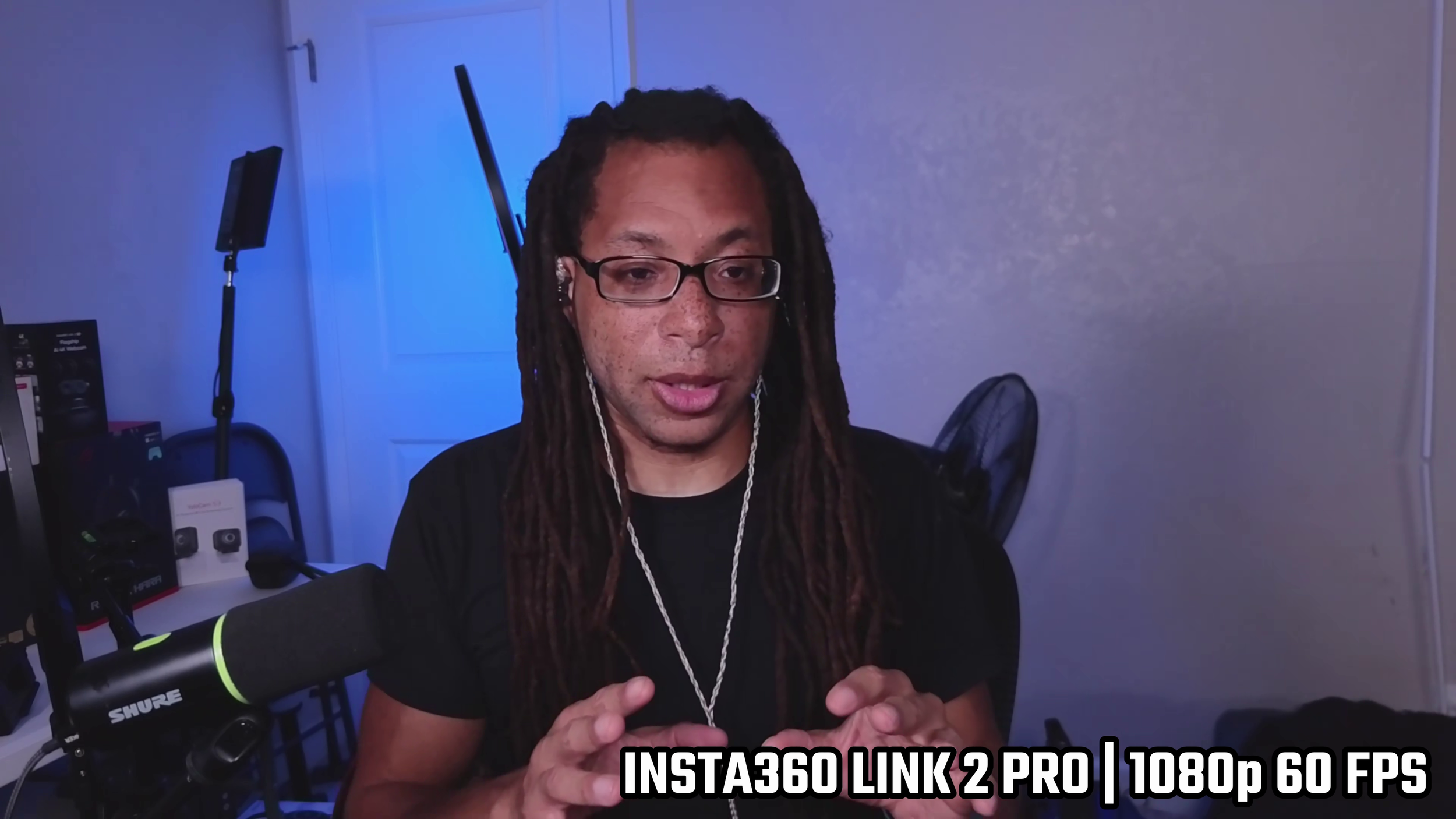
I would avoid 1080p on both of these. The Tiny 3 gets very pixelated, especially seen on my glasses and freckles. On the Link 2 Pro, the entire image gets smoothed over, and most of the fine detail gets lost entirely.
Low Light
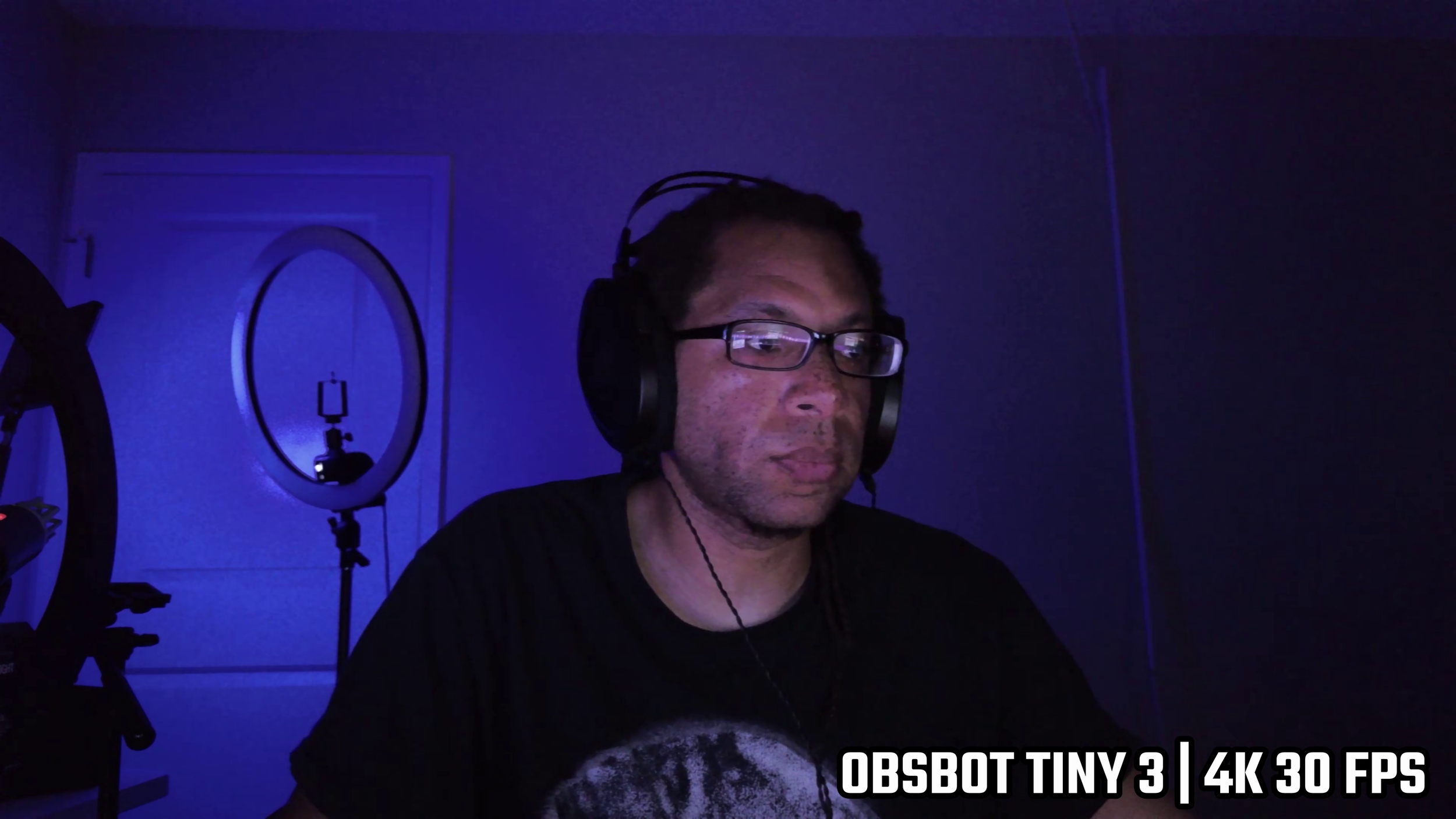
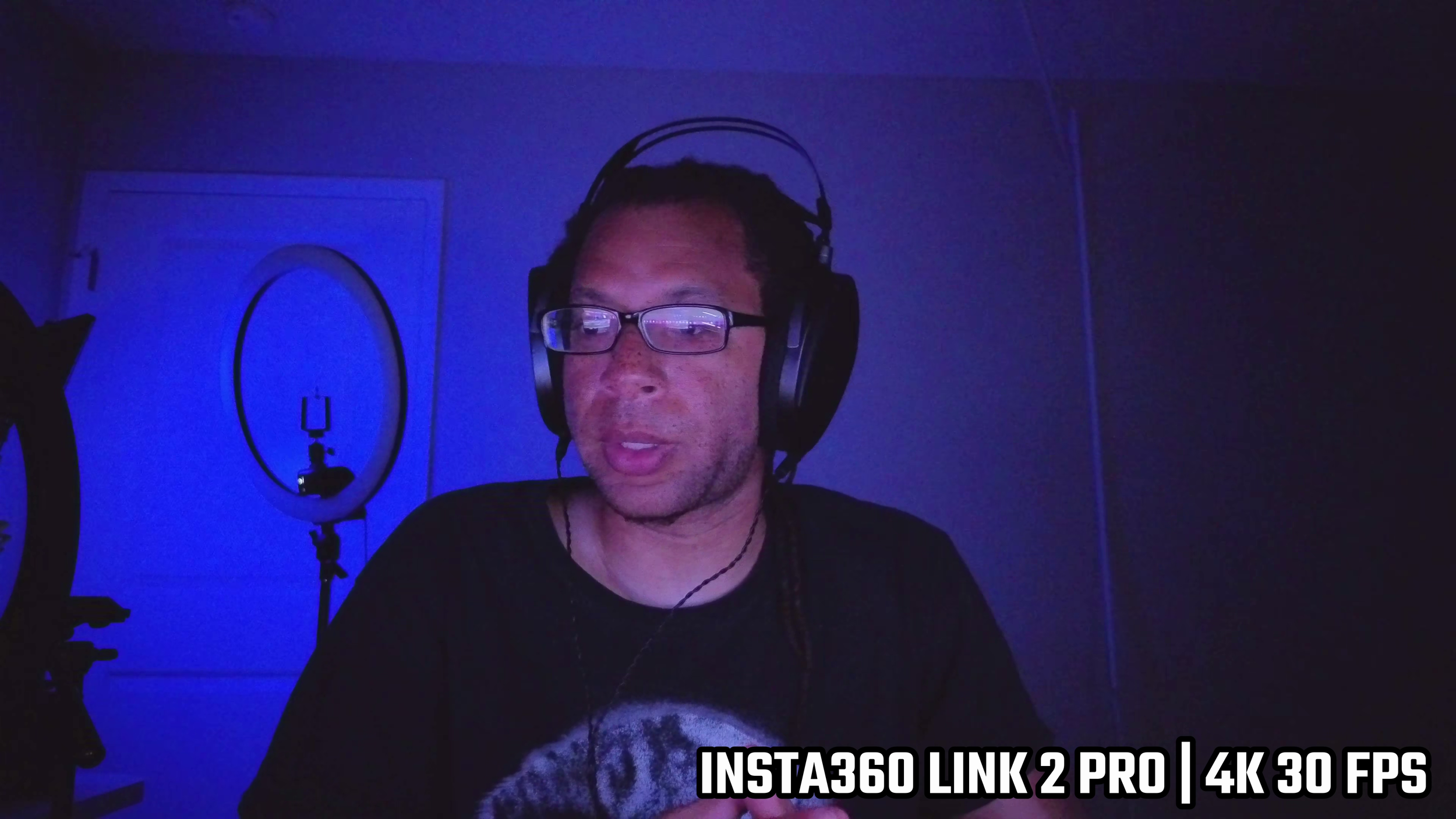
Neither of these webcams perform well with low light. They’re incredibly grainy, which makes sense because you’ve got to boost the ISO so much.
HDR on, ISO max, auto/manual — doesn’t really matter. Neither of these can really look that good in low light.
Microphone
The Tiny 3 sounds far away, but somehow they were able to get the tonality to be somewhat warm despite the distance. Keyboard typing comes through pretty clearly.
The Link 2 Pro sounds far more compressed, but it does a good job of canceling out background noise like keyboard typing.
Software
Insta360 Link Controller
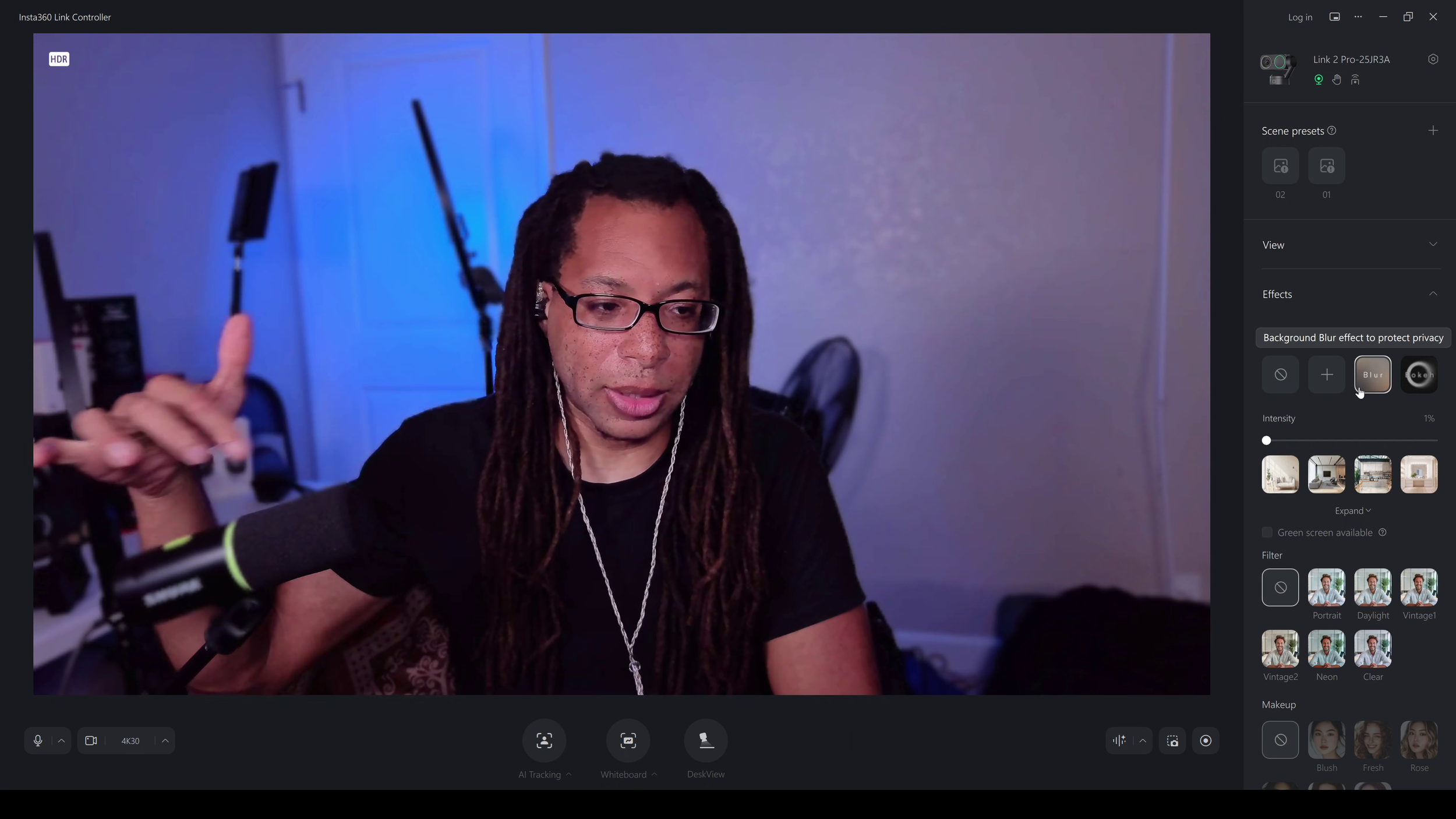
Link Controller crashes a lot, and when it crashes, it has to be completely stopped in Task Manager. This software is so buggy…
You can control shutter speed, ISO, autofocus, HDR, sharpness, and you can use the gimbal controls.
OBSBOT Center
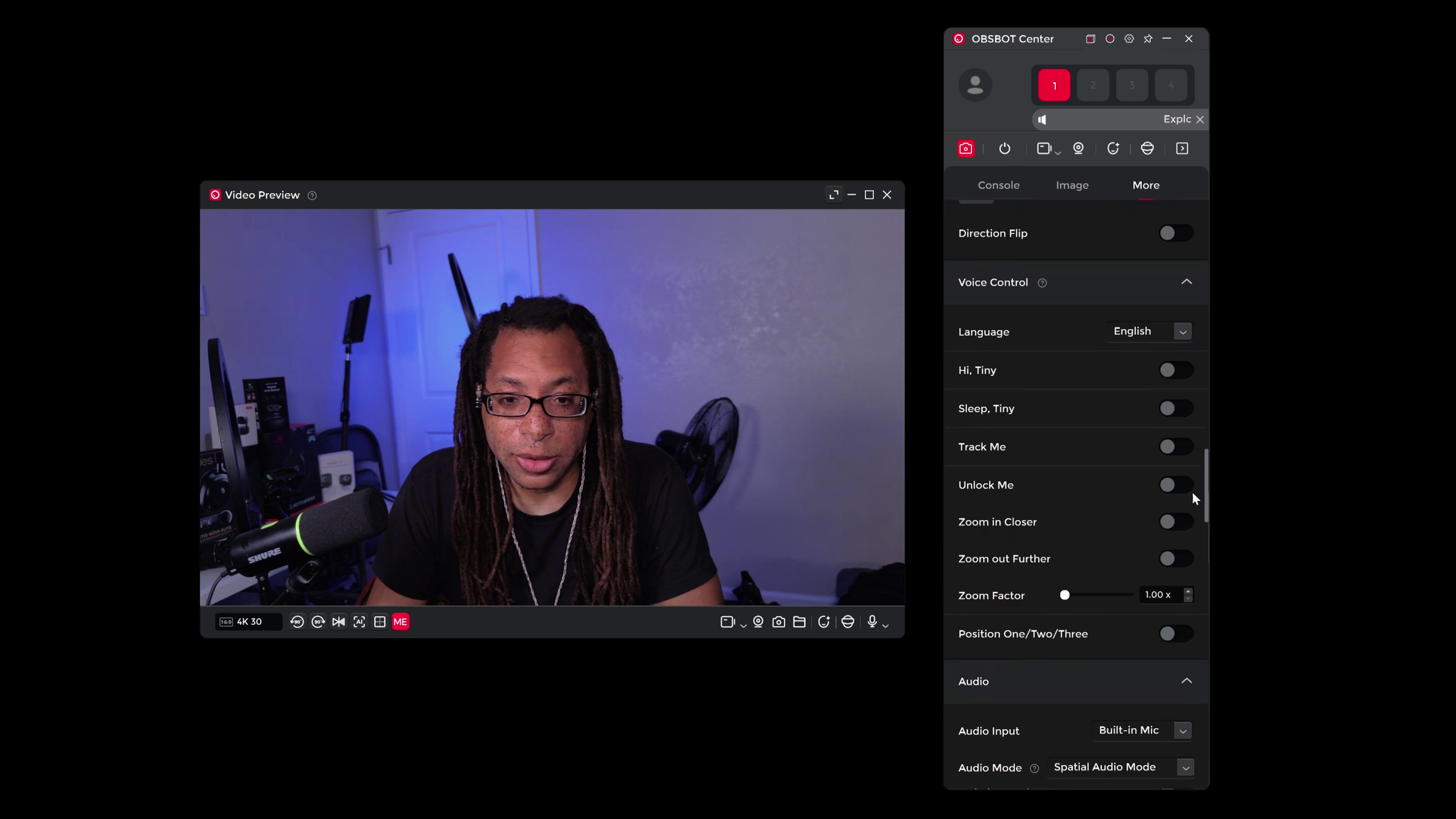
OBSBOT Center is similar (without the crashes), but the menus feel bloated. It isn’t very intuitive to find things like the gimbal control. Both give you the same basic control set: HDR, autofocus behavior, shutter speed, ISO, and digital FOV/crop options.
Face Tracking and Desk Mode
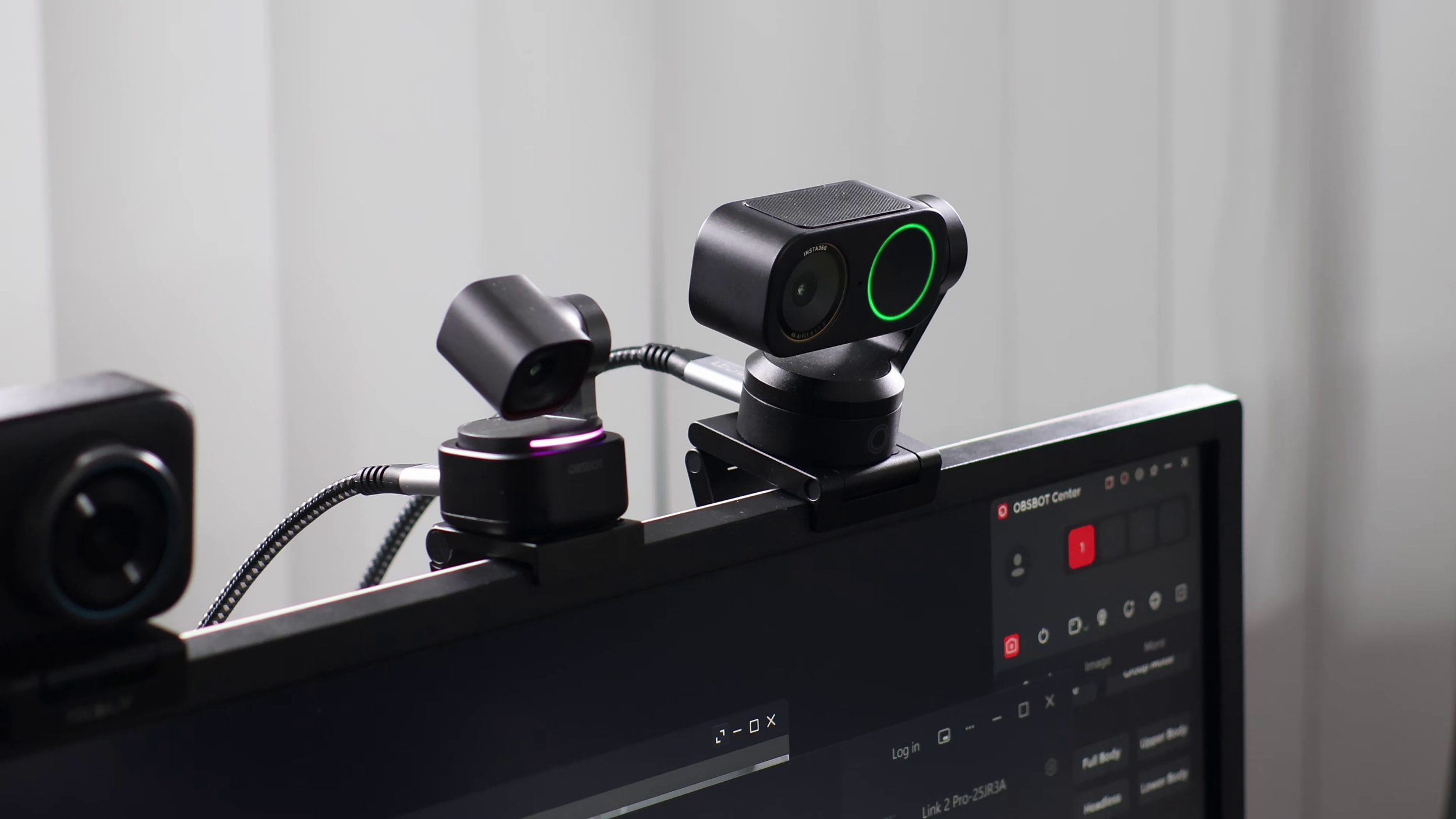
Both have face tracking and you can toggle it in software. They have about 270 degrees of rotation, so they can get you all around the room.
Desk mode exists, but on the Tiny 3 the angle isn’t good enough to even actually use it. On the Link 2 Pro, I’ve only gotten it to work once before glitching out.
Build Quality
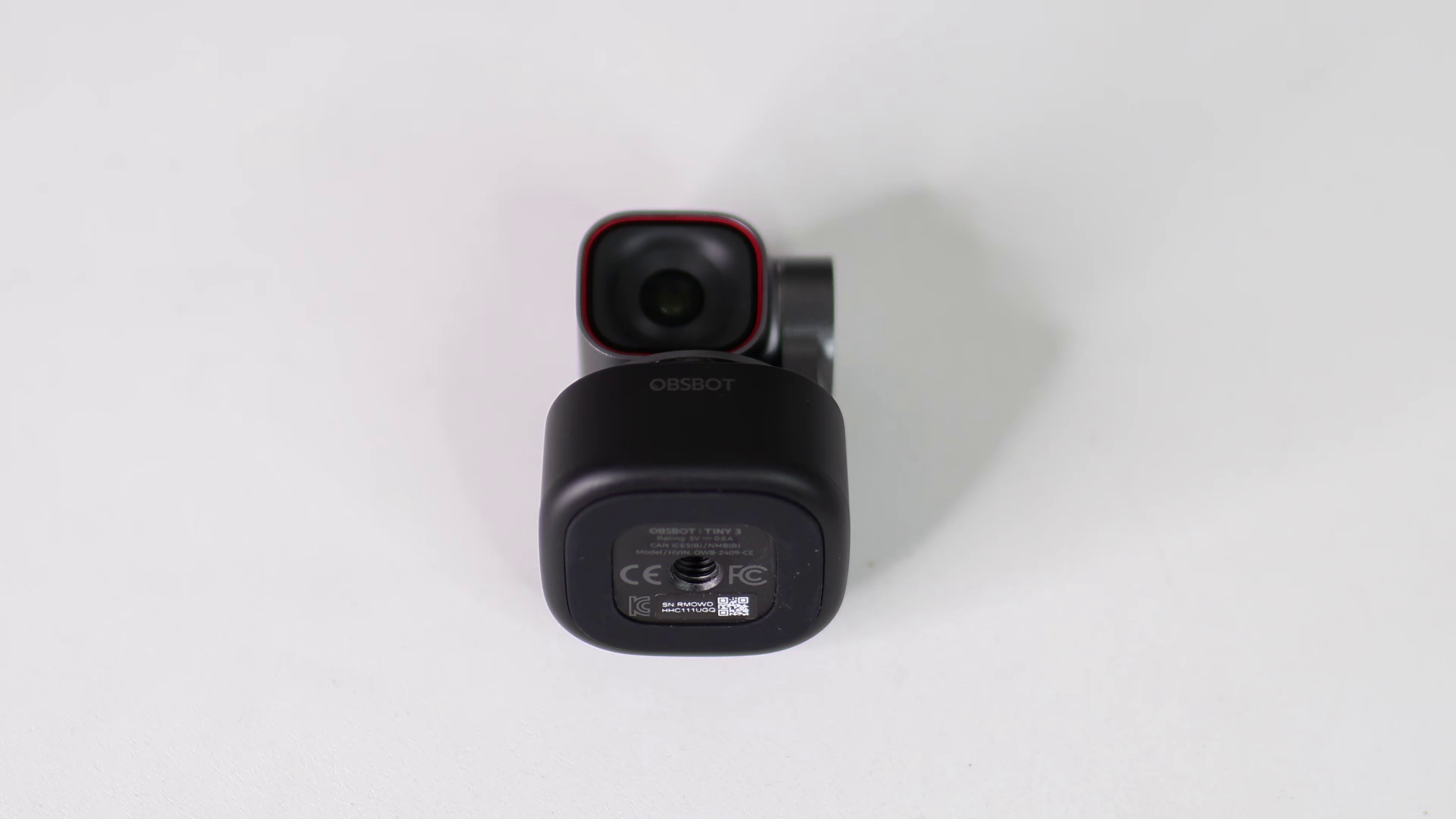
The Tiny 3 is significantly smaller, but both of these are compact. The Tiny 3 also comes with a small case that you can put everything in.
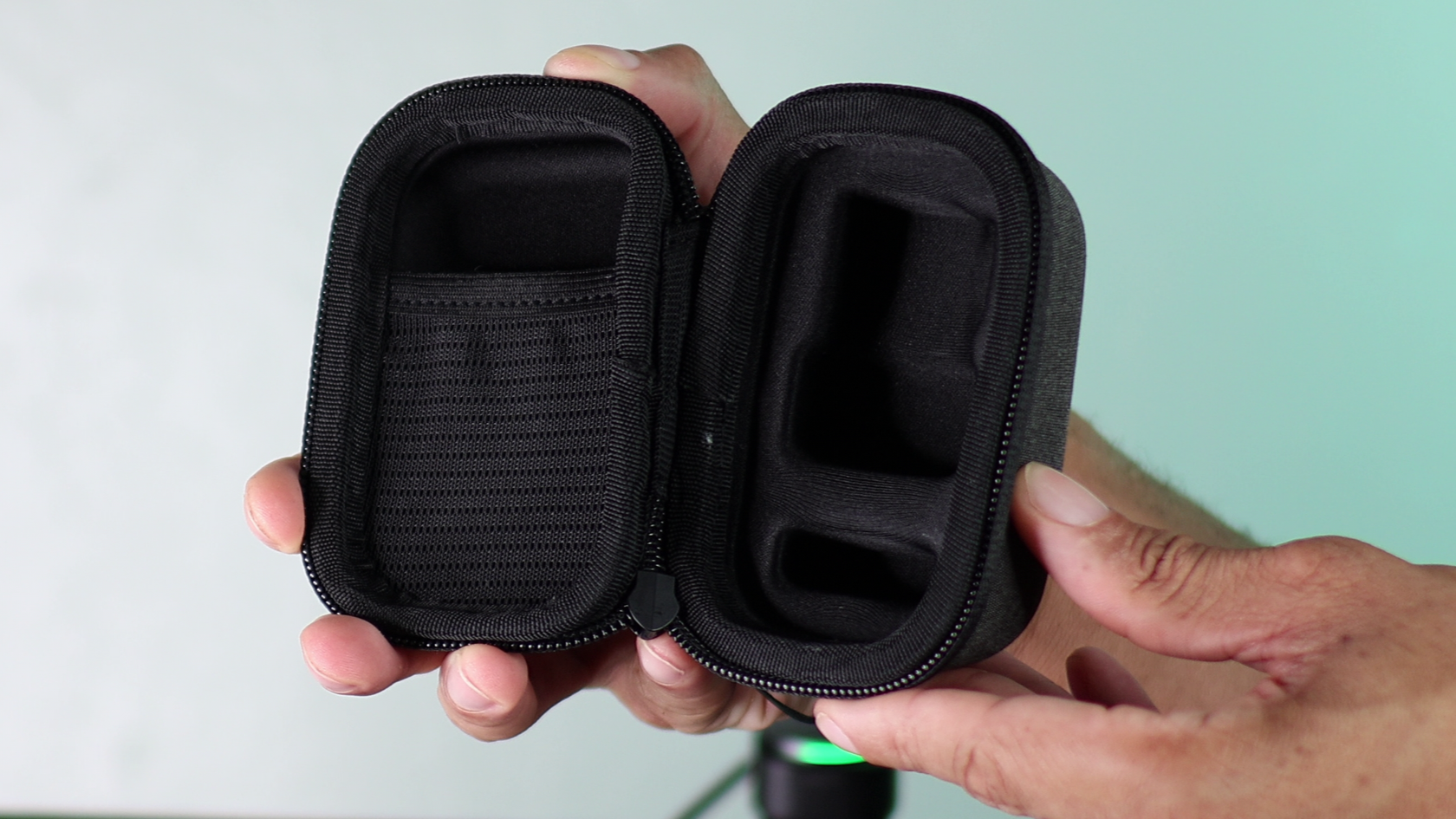
Tiny 3 case.
Both come with a 60-inch USB-C to C cable and a USB-C to USB-A adapter in the box. I lost both of these cables off rip, because they’re way too short for my setup.
The magnetic mount on the Link 2 Pro is stronger. Its monitor mount also opens wider, so it can fit on fatter monitors.
Tiny 3 Monitor mount.
Bottom of the Link 2 Pro with its monitor mount removed.
The Tiny 3 has tripod threading on the bottom of the webcam itself. Link 2 Pro has the tripod thread on the bottom of the monitor mount.
Most of the Tiny 3 is metal and most of the Link 2 Pro is plastic. Both get quite hot, but you feel it more on the Tiny 3 because of the material.
Verdict
If you want the better image overall without dealing with extra processing effects, get the OBSBOT Tiny 3.
If you’re okay with HDR post-processing, and you’re cool with a “magazine cover” look, get the Insta360 Link 2 Pro.
Personally, I prefer the Tiny 3.